Winstler Registration and Account Setup for UK Readers
 Available in GB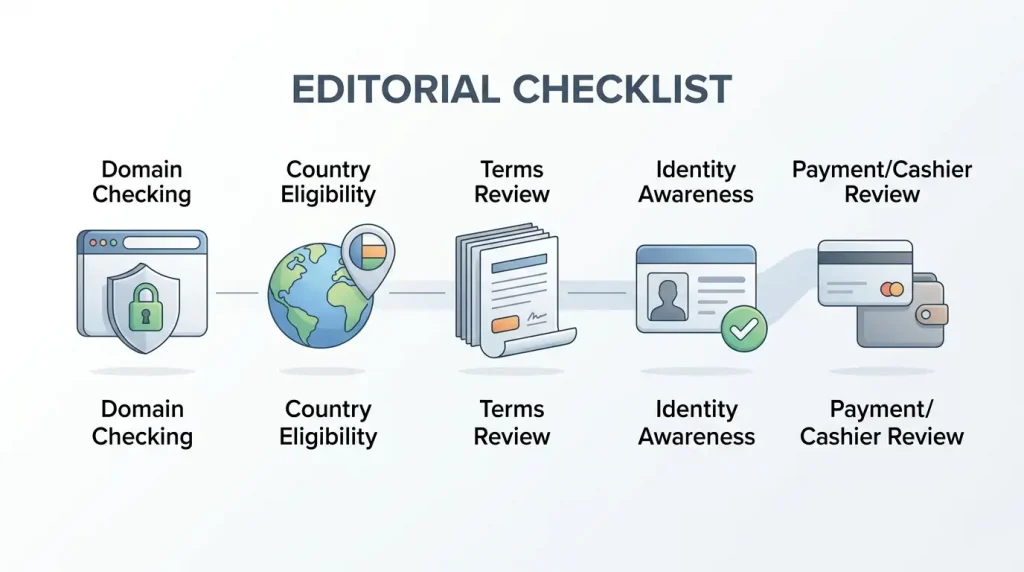
Updated 29 September 2026
Winstler account setup should start with domain identity and eligibility checks, not with entering personal details. The Anjouan Gaming Authority register associates winstlercasino.io with the current licence entry. Current UK registration availability remains unresolved: a recent UK review says UK players are excluded, while the current-domain Trustpilot profile includes recent reviews labelled as coming from Great Britain. Those third-party signals do not settle account eligibility. Before creating an account, check that the country option, terms and cashier settings shown on the current domain fit your situation.
Table of Contents
- Start with the current domain and eligibility status
- A five-point pre-registration checklist
- What account setup generally involves
- Login safety: use domain identity, not mirror familiarity
- Apply data minimisation before uploading identity material
- Do not treat registration as the end of due diligence
- Account details that can vary
- What to do if the registration flow conflicts with a review
- A practical account decision before you proceed
- Create an account record before money moves
- Plan for account recovery before you need it
- Bottom line on Winstler account setup
Start with the current domain and eligibility status
The strongest current identity signal is the official Anjouan Gaming Authority licence register. Its public register lists winstlercasino.io among the domains associated with the current Winstler operator entry. That matters because older reviews and search results still surface other Winstler-labelled domains and earlier operator information.
Domain identity does not answer the separate UK eligibility question. Available third-party information conflicts, and no visible current operator terms in the material described here name the United Kingdom as clearly accepted or restricted. A recent UK-oriented review states that UK players are excluded, while the current winstlercasino.io Trustpilot profile contains recent user reviews labelled GB. User reviews cannot establish account eligibility, and a third-party restriction statement does not replace the operator terms. Check the current registration country options and terms before providing data or money.
The broader jurisdiction context is covered on the Winstler Casino UK page. This account guide stays focused on setup, login safety and the sequence of checks a reader can perform without assuming access.
A five-point pre-registration checklist
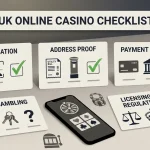
- Confirm the domain. Compare the domain in the address bar with the domain listed in the current regulator register. Do not rely on a search ad, copied logo or familiar-looking page alone.
- Confirm country availability. Inspect the country selector and current terms before creating credentials. If the UK is absent or the terms exclude your location, stop rather than trying a mirror.
- Confirm the account currency. Check what currency the registration flow or cashier actually displays. Current information does not establish that a GBP account or GBP cashier is available.
- Read the current account and payment terms. Registration, verification, promotions and payments can each have separate conditions. Save the version that matters to your decision.
- Understand why personal data is requested. Identity verification is part of Winstler account/payment controls, especially around withdrawals, but the exact Winstler document list and review time are not established in current official material.
A cautious setup sequence avoids assumed registration fields, advertised signup times and older affiliate walkthroughs that may describe a different Winstler domain.
What account setup generally involves
Registration screens can change, so the current fields, buttons and confirmation steps should be read directly from the live Winstler form. A sensible setup sequence is still useful without assuming a fixed interface.
- Open the regulator-backed current domain and confirm the displayed country and terms.
- Create credentials only after confirming that you are using the intended domain.
- Review the personal details requested and provide only what is necessary for the account process shown.
- Read any age, identity or account verification notice before submitting the form.
- Inspect the cashier currency and payment methods before depositing.
- Keep a record of the terms and any verification notice that applied when the account was created.
English is available on the Winstler website and through support. A dedicated UK-localised version of the operator site is not established, so language availability should be treated separately from UK eligibility.
As a Great Britain benchmark, UKGC-regulated online operators must verify age and identity before gambling, but the Commission does not prescribe one universal document list or verification time. That benchmark is context for UK readers, not a substitute for Winstler-specific account terms.
Login safety: use domain identity, not mirror familiarity
Existing account holders face the same identity problem as new users: search results can surface domains carrying the Winstler name without proving that they are the current operator domain. A logo, copied colour scheme or page title is weak information compared with a current regulator-domain association.
Before entering a password, compare the hostname with the regulator-backed domain. If a different Winstler-labelled address is presented as a login route, do not assume that it is an approved mirror. Avoid unofficial mirror lists and alternate login URLs that are not tied to the current regulator record.
If you have a saved bookmark, compare it with the current register before using it after a long gap. Operator domains can change over time, and the point of the check is to avoid sending credentials to a stale or unrelated destination.
Apply data minimisation before uploading identity material
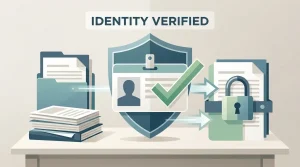
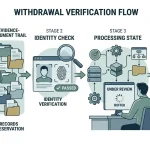
Registration and verification are different stages. Creating credentials does not mean every identity document should be uploaded immediately. When a verification request is shown, first confirm that it is inside the current account, that the domain matches the current regulator-linked domain, and that the request explains why the information is needed.
Do not send identity images through an unfamiliar email address, chat link or mirror simply because a message uses the Winstler name. Keep the destination, request wording and submission confirmation with your account records. The Winstler KYC information covers how to assess identity requests without assuming one fixed document checklist.
Do not treat registration as the end of due diligence
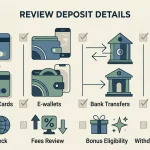
An account that can be created is not automatically an account that is suitable to fund. Before depositing, open the payment area and check the currency, deposit method, withdrawal route and any verification dependency that matters to you. General Winstler payment categories are consistently listed, but that does not prove that every method or currency is available to a UK reader.
The Winstler payment methods guide covers cards, e-wallets, bank transfer and cryptocurrencies separately from unresolved UK cashier details. That distinction matters because the account decision is not only “can I register?” but also “can I understand how money enters and leaves this account under the terms currently shown?”
Account details that can vary
| Question | Current status |
|---|---|
| Is winstlercasino.io the current regulator-associated domain? | Yes. The current Anjouan register lists that domain under the active operator entry. |
| Can every UK reader register now? | Unresolved. Third-party information conflicts and current official registration terms have not settled the point. |
| What exact fields are on the signup form? | Read the current field set directly from the live registration form. |
| Is GBP available as the account currency? | Current GBP cashier support remains unresolved. |
| What exact KYC documents are required? | The exact document list is not established in current official Winstler material. |
| How long does verification take? | No fixed Winstler processing time is established in current official material. |
What to do if the registration flow conflicts with a review
Use the current account interface and current terms as the immediate operational information, while keeping the regulatory identity check separate. If a review says one thing but the current registration flow says another, do not resolve the conflict by choosing the more convenient answer. Save the relevant terms, note the domain and date, and verify the operator identity in the register.
If the current flow blocks your country, do not search for a mirror to bypass the restriction. If the current flow permits country selection but the terms are unclear, the uncertainty is still material before depositing. Current UK availability remains unresolved rather than becoming either guaranteed access or a blanket ban.
A practical account decision before you proceed
Proceeding to the next step makes sense only when you can answer four questions from the current site and register information: am I on the regulator-associated domain, does the current flow support my location, do I understand the account currency and payment route, and do I understand the verification request before I submit sensitive data? If any answer is unclear, resolve that item first.
For shorter answers on registration, payments, licence and availability, see the Winstler FAQ. For the complete brand overview and the remaining account-specific questions, return to the full review.
Create an account record before money moves
A small private record can make later account questions much easier to reconstruct. Note the exact domain, the date you checked the regulator register, the country and currency options shown to you, and the version or date of the terms you relied on. If the site presents an eligibility notice, save that wording. If it presents no clear answer, record the uncertainty instead of converting silence into permission.
Keep registration and payment information separate. Registration information answers which account route you used and what terms you saw. payment information answers which cashier methods, currencies, limits or verification prompts appeared after login. That distinction matters because a third-party article can be correct about a broad payment category while still being wrong about the exact option shown to one account.
Do the same for support. If you ask whether your country or account currency is supported, keep the written response and date. A support message can clarify your own account journey, but it should not be treated as a universal policy for every reader unless the current terms say the same thing.
Plan for account recovery before you need it
Use a unique password and keep the regulator-listed domain bookmarked only after you have compared it with the regulator register. If access later fails, return to the regulator-linked domain rather than searching for an unofficial “Winstler login” mirror. Follow password-recovery instructions only inside the current account route.
If you receive a login or verification link by message, compare its destination with the regulator-listed domain before opening it. The important rule is simple: the destination should be compared with the regulator-listed domain whenever credentials or identity data are about to leave your device.
Account recovery is also a useful test of whether you understand the route you are using. Before depositing, make sure you know where the current account support entry point is and how you would identify the same domain again without relying on a search result. If the only route back to the account is an unofficial mirror, copied link or old bookmark that no longer matches the register, resolve that identity problem before proceeding.