Winstler Casino Mobile Experience and App Status
 Available in GB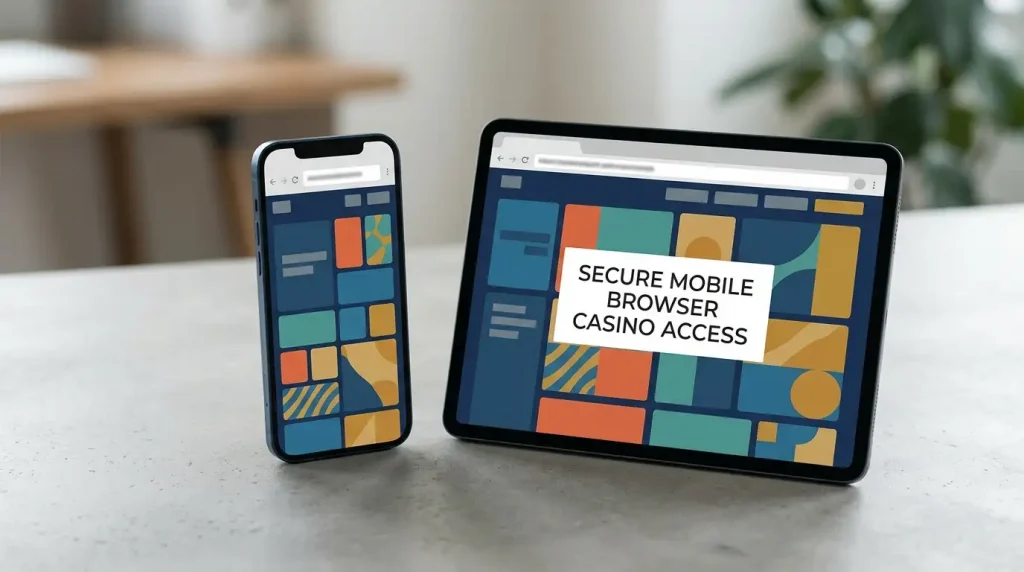
Updated 29 September 2026
Winstler can be used through a mobile browser on iOS and Android devices. A dedicated native Winstler app is not currently established, and no official Winstler Casino listing is identified in Apple’s App Store or Google Play. UK readers should therefore use the browser route and avoid APKs or third-party installation packages presented as official apps. If a native app is offered in future, use a store listing or operator link tied to the current domain.
Table of Contents
- The current baseline is mobile-browser access
- Is there a Winstler Casino app?
- Browser site, home-screen shortcut and native app are different things
- Do not treat an APK search result as proof of an official app
- A practical mobile testing framework
- Games on mobile: check category access, not just the home page
- Live casino needs a separate mobile check
- Account and payment tasks matter as much as gameplay
- Mobile security checks before logging in
- Mobile features that remain unconfirmed
- Mobile decision checklist
- Bottom line on Winstler mobile
The current baseline is mobile-browser access
Winstler is usable through a responsive mobile browser on iOS and Android devices, so a phone or tablet does not require a native installation for browser access.
It is not enough to promise a specific loading speed, frame rate, battery impact or device-wide compatibility. Available listings do not establish measured loading speed, frame rate, battery impact or universal device compatibility on a named handset. Reviews that call the experience smooth or flawless are subjective observations, not performance benchmarks.
For a UK reader, the useful distinction is simple: browser access is available, while a dedicated native app is not established. That distinction matters because the term “app” is often used casually for any mobile service, including a website saved to a home screen.
Is there a Winstler Casino app?
No dedicated native iOS or Android Winstler app is currently established. No official Winstler Casino listing is identified in the major app stores, and the service is presented as browser-based rather than app-led.
An unconfirmed app is not the same as proof that no app can ever exist. App-store availability can change, listings can be country-specific, and unofficial download pages can use the word “app” without representing an official native product. If an app is presented to you, verify the developer, store domain, publisher details and link from the current operator environment before installing it.
A recent reviewer on the current-domain Trustpilot profile used the word “app” when describing Winstler. That is user language, not app-store information. That user wording does not establish that a native package exists. A browser shortcut, progressive web experience or casual reference to the service can all be called an app by users.
Browser site, home-screen shortcut and native app are different things
A mobile website can feel app-like without being a native app. Safari and Chrome can keep a login session, save a bookmark or place a shortcut on a home screen, while some sites use responsive or progressive-web techniques that resize controls for touch screens. None of those features creates an App Store or Google Play listing by itself.
A browser site, a home-screen shortcut and a native app are different things. A genuine native app should have a directly identifiable store or publisher trail. Until such a trail appears for Winstler, the practical route is the browser experience on the current domain.
For the wider brand information, licensing context and UK-specific cautions behind that conclusion, return to the Winstler review.
Do not treat an APK search result as proof of an official app
Android package files create a specific verification problem. A third-party page can offer an APK under the Winstler name without proving that the file came from the current operator. Third-party APK listings do not establish official provenance, so they should not be treated as official Winstler downloads.
If a future official Android app appears, the safest information would be a direct Google Play listing tied to the operator or a current operator page linking to that store listing. The equivalent standard for iOS is an App Store page with matching developer and publisher information. Until such a listing exists, browser access remains the best-supported route.
A practical mobile testing framework
Mobile performance varies by device and browser, so assess the service on the device you actually plan to use. Record the date, handset, operating system and browser so your observations stay device-specific rather than becoming universal claims.
- Navigation. Open the current domain and check whether menus, search and account controls remain usable without horizontal scrolling or hidden buttons.
- Orientation changes. Rotate between portrait and landscape, especially before opening live dealer content or wide table layouts.
- Game loading. Test one ordinary casino game and, if relevant, one live title. Note whether the game opens, scales correctly and returns to the lobby cleanly.
- Account access. Check whether login, account history and verification notices are readable on the smaller screen. The separate Winstler registration guide covers account setup and domain checks.
- Cashier usability. Inspect the deposit and withdrawal panels without assuming that every desktop method or currency is available on mobile. Use the Winstler payments page for the reported method categories and unresolved UK cashier details.
- Support access. Confirm whether the support route you intend to use can be opened and whether you can save transcripts or reference numbers if an account issue develops.
Device-specific testing is more useful than a generic “mobile friendly” label. Navigation, game loading, account access, cashier usability and support access can all be observed on the exact device and browser you plan to use.
Games on mobile: check category access, not just the home page
Winstler’s broader game library is independently reported as large and multi-category. On mobile, the more useful question is whether the categories you actually use remain easy to find and launch. Start with the Winstler games overview for the reported catalogue shape, then compare that with what the live mobile lobby displays.
Do not assume that every title visible on desktop will behave identically on every phone. Individual game providers control their own interfaces, orientation behaviour and technical requirements. Regional or account-level availability can also affect the live catalogue. The mobile page therefore does not promise a one-to-one title match across devices.
Live casino needs a separate mobile check
Live dealer games combine streaming video, betting controls and table information, so screen size and connection stability matter more than they do for a simple lobby. Winstler has a separately reported live-casino category, but the exact tables and provider roster should be checked in the live lobby at the time of use.
For the reported categories and current information limit, use the Winstler live casino guide. On a phone, test one table before assuming the whole live section fits your device. Check whether the bet controls, history and dealer stream remain readable in the orientation you prefer.
Account and payment tasks matter as much as gameplay
A mobile casino experience is incomplete if account or cashier tasks are difficult to verify. Before depositing from a phone, check that the domain is the current regulator-associated domain, that the account currency is visible, and that the payment route you intend to use appears in your own cashier. A GBP-denominated mobile cashier and a UK-specific payment set are not established in the available information.
Keep saved confirmations or account records for important account and payment steps, especially if you are completing verification or requesting a withdrawal. Mobile interfaces can make it easy to close a panel before recording the information you may later need for support.
Mobile security checks before logging in
- Use the current regulator-associated domain rather than a search-result mirror or saved old hostname.
- Avoid installing casino software from file-sharing pages, APK directories or unsolicited messages.
- Do not upload identity material through a link that opens outside the account environment unless you can verify the destination independently.
- On shared devices, disable saved passwords or payment autofill if another person can access the browser profile.
- Save support reference numbers and withdrawal confirmations before closing the browser tab.
These are general mobile account-safety steps, not claims about a specific Winstler security feature.
Mobile features that remain unconfirmed
An official iOS app, Android app, APK, app-store rating, push-notification feature and native biometric login remain unconfirmed. Reliable loading-time and battery-use measurements are also unavailable.
Mobile browser access does not establish UK account eligibility. Device access and country acceptance are separate questions. UK account eligibility remains unresolved, so readers should use the UK and registration pages for that issue rather than treating a mobile page loading successfully as regulatory or account-acceptance information.
Mobile decision checklist
- Use the browser route unless you can independently verify a genuine official app-store listing.
- Test navigation and one representative game on your own device before relying on a reviewer’s performance description.
- If live casino matters to you, test a live table in the orientation and connection type you normally use.
- Check account and cashier functions on the same device, not just the game lobby.
- Keep app status separate from browser quality: a good browser layout does not prove a native app exists, and the absence of a confirmed native app does not by itself make the browser experience poor.